Appreciate your effort, but sad to say, you can’t fix stupid as most sinkies are.
Hi! Hello…

Different Runway

Spent years taxiing down the aviation runway. The blueprint was meticulously drafted. Progressing from Singapore Youth Flying Club to Temasek Polytechnic’s AMS program, and finally to Embry-Riddle. By 2020, was fully fueled and ready for takeoff.
Then came the ultimate Air Traffic Control wave-off. COVID-19, a global severe weather event that completely shut down his original destination airport.
But instead of circling indefinitely or crashing, executed a flight correction. Adjusted the coordinates, upgraded both academic engines with degrees from SMU MiM and ESSEC SMiB, and requested a completely new flight plan. Ultimately, he executed a safe landing, touching down firmly on the runway of global corporate banking at BNP Paribas.
It’s a story that reframes what could have been a career disaster into a masterclass in navigation. Didn’t crash, simply cleared for a different runway.
Happy New Year 2026!

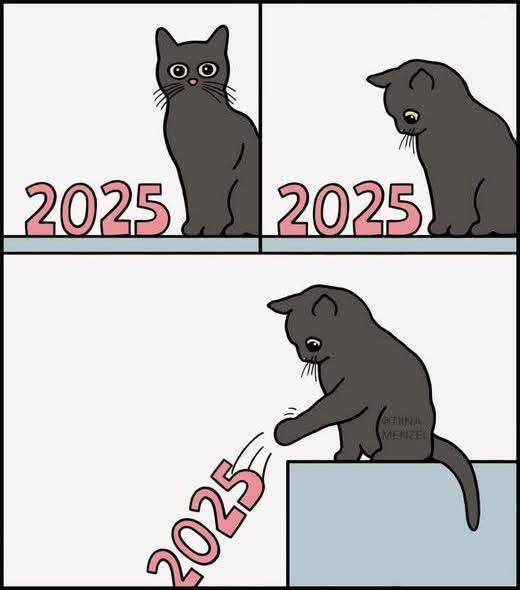
Bye! 2025
Rename Boot Volumes / Disks in the OCLP Boot Picker
Navigate to /System/Volumes/Preboot/uuid/System/Library/CoreServices and drag a hidden file called .disk_label.contentDetails to your desktop open it with text editor and write the label name you wish to use then save it. Finally, replace the file to its original location.
Synology Drive Client
To set up the Synology Drive Client, you need to install the software, connect it to your Synology NAS using its IP address or QuickConnect ID, and configure sync or backup tasks. The default network port used for client connections is TCP port 6690.
Synology Drive Client Setup Steps
Before starting, ensure that Synology Drive Server is installed on your Synology NAS via the Package Center, and the “My Drive” or Team Folders are enabled in the Synology Drive Admin Console.
- Download and Install the Client: Go to the Synology Download Center on your computer, select your NAS model, and under the Desktop Utilities tab, download and install the Synology Drive Client for your operating system (Windows, macOS, or Linux).
- Launch the Client: Open the Synology Drive Client application and click Start Now.
- Connect to your NAS:
- Enter your NAS’s IP address, DDNS hostname, or QuickConnect ID, along with your username and password.
- You can click the downward arrow to scan your local network for available Synology devices.
- For a secure connection, enable the SSL data transmission encryption option.
- Click Next. If you encounter connection issues, ensure the connection information is correct and the Synology Drive Server is running.
- Configure Task: Select either Sync Task or Backup Task, and click Next.
- For Sync Tasks: Choose the local computer folders you want to sync with a specific folder on your NAS (e.g.,
\\home\\Drive\\Syncfolder). You can configure advanced settings like file filters and sync direction (bidirectional, one-way upload, or one-way download). - For Backup Tasks: Select the local folders to back up and choose a destination on your NAS. You can set up backup rules (file size, type, etc.) and a backup mode (continuous, manual, or scheduled).
- For Sync Tasks: Choose the local computer folders you want to sync with a specific folder on your NAS (e.g.,
- Finalize: Click Done to complete the setup. The Synology Drive icon in your system tray or menu bar indicates the connection status and file activity.
Required Network Ports
For external access (connecting from outside your local network), you may need to set up port forwarding on your router.
The primary port for the Synology Drive desktop client is TCP port 6690. This port is used for file synchronization and backup tasks.
If using QuickConnect, you don’t typically need to manually configure port forwarding, as it uses a relay service.
For web portal access (using a browser) or mobile apps, Synology Drive uses the standard DSM web ports, typically TCP 5001 for HTTPS or customized ports defined in Control Panel > Login Portal > Applications.
It is highly recommended to use a VPN to connect to your local network for enhanced security rather than exposing ports directly to the internet.
Electrolux 13/9 KG Front Load Washer-Dryer
Methods to reset ELECTROLUX EWW1343R7SC FRONT LOAD WASHER AND DRYER (13/9KG)/(ULTIMATECARE 700)
Here are the common methods for resetting your Electrolux washer dryer:
- Power Cycle (Hard Reset): This method clears the machine’s control board memory and is the most universal fix for minor glitches.
- Turn off the appliance.
- Unplug it from the wall socket or turn off the power at the circuit breaker.
- Wait for at least 1 to 5 minutes to allow internal capacitors to fully discharge.
- Restore power by plugging it back in or turning the circuit breaker back on.
- Control Panel Soft Reset: This method can resolve minor software glitches and unfreeze the control panel.
- Press and hold the Start/Pause and Options buttons simultaneously for approximately 3 to 5 seconds until the display clears and turns back on. The specific buttons might vary by exact model version, so you can also try holding the Spin and Delicate/Gentle buttons together if the first combination doesn’t work.
- Door Open/Close Method: Some models use a specific door sequence for a hard reset.
- Power off the machine and unplug it for at least one minute.
- Restore power.
- Open and close the machine door for a cycle of six times (some sources suggest up to 12) to signal a reset to the machine.
If these methods do not resolve the issue, consult the complete EWW1343R7SC user manual available on the Electrolux Singapore website for specific troubleshooting steps or contact a qualified repair technician.
Sinkies’s shithole

Now I remember why I kept my distance from him, Don..key. Somehow, after losing sight of that, we got back in touch and I see now that nothing has changed. I’ll be keeping my distance again.
I tried to help him fix his home broadband setup, and it was a complete waste of time. He’s comfortable living with the mess, including what the Singtel installer left behind. Worse, he doesn’t realize how little he understands, yet speaks with total confidence.
Lesson learned: you can’t help someone who refuses to think. No amount of effort matters if the other person won’t engage. All it does is drain and frustrate you. It’s simply not worth it.
I need to remind myself not to step in or play along next time, otherwise I’m just making myself miserable.
The Key to Happiness
Recently I just learned the key to happiness? It’s not money. It’s not fame.
It’s staying the hell away from idiots. 😎

Life is already hard enough without having to deal with people who bring unnecessary drama and nonsense into your day.
And if you see the drama coming from a mile away?
Smile, wave, and walk the other direction. 🚶♂️💨
Stay smart. Stay sane. Stay far, far away from fools. 😌
— Contribution by Bryan